I remember last time I had such issues with a Blue Screen of Death was back in 2000. At that time, believe it or not, I've resolved it by replacing my power cord. There were many PCs (my brother's) connected to the same wall and only when we replaced the benjamin with did the BSoD stopped showing up. Almost every day.
I know that's probably not exactly how it happened, and I'm a bit sorry for not documenting it before, after all memories are reconstructed frequently, at least daily, and at each time it will suffer issues from brain malfunctioning, as it does get deceived so often. But I'm still pretty confident that power line prevented BSoD from happening and it is plausible!
Now it's back, in my macbook pro and I feel it's going to be a bit harder to resolve without a clean install (a.k.a. formatting, back in last century). This time it's just about 2 times per week. And I'm pretty confident it started at some point after I've upgraded to Yosemite (a.k.a. OSX 10.10, although that's quite redundant)

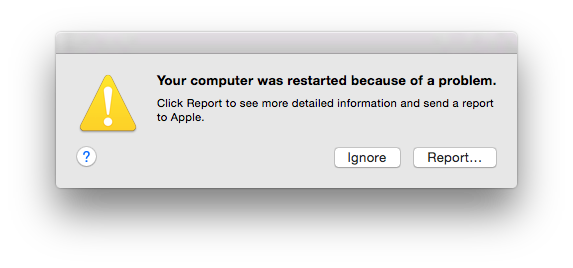
Your computer restarted because of a problem. Press a key or wait a few seconds to continue starting up.
After some googling around for yosemite bsod on google images, I finally found that exact message, which then led me to what apple has to say about it:
In most cases, kernel panics are not caused by an issue with the Mac itself. They are usually caused by software that was installed, or a problem with connected hardware.
To help avoid kernel panics, install all available software updates until Software Update reports, "Your software is up to date." OS X updates help your Mac handle the kinds of issues that can cause kernel panics, such as malformed network packets, or third party software issues. For most kernel panics, updating your software is all you have to do.
Maybe that's true, but I doubt it it's not OS's fault. And I always keep it up to date (except I don't always upgrade to newest releases, I prefer to wait until .2 or so, but that's a different topic).
I also don't get all the other expected behaviors after the screen. The computer restarts twice. The first time it goes way too fast to the login screen, even for an SSD machine. Then it reboots, takes a little bit longer and I finally can log back in, which promptly brings a loading bar that takes longer than the whole 2 boots process themselves. And I don't get any warning asking me to open up applications that were open - they just open up straight away. Maybe because that's my default setting.
Anyway, I guess the point here is just reporting a bit on this failure. I intend to update this if I get a video recording of how it happens and eventually if I fix it one way or another. But, as bad as it may be, thanks to such a fast boot I'm not so worried about it! I guess I can live with it for a bit longer, until I update my machine and start a fresh install just because I never did one in the past 3 to 4 years or so (thanks to Time Machine).